

Viewing channels
Select Resources > Packages in the left-hand navigation. The list shows the secure channels provisioned for the current perimeter, including each channel’s source, package count, applied policy (if any), and the number of files that policy has removed. Only secure channels appear in this list; registered external channels are not included.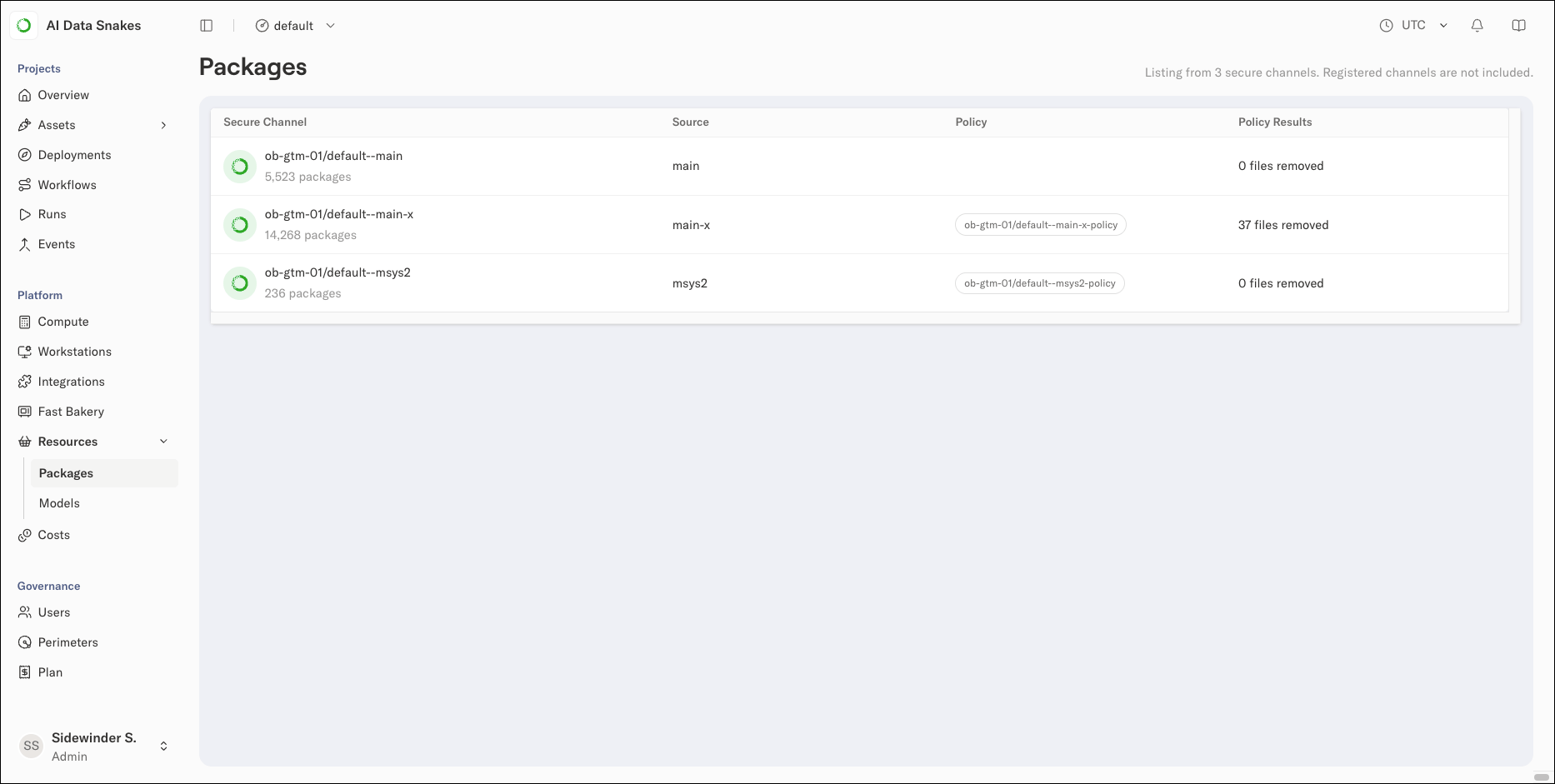
Viewing a channel’s packages
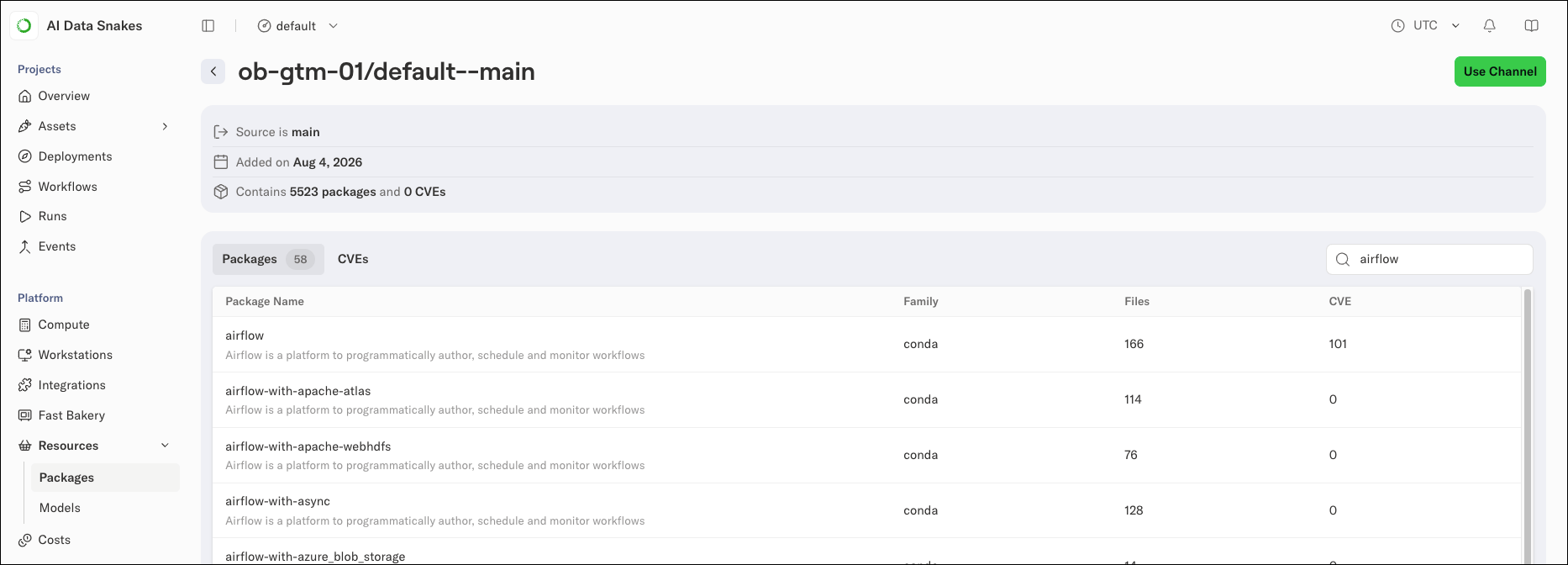
Select a channel from the list to view its details and browse its contents. The view shows the channel’s source, when it was added, and the number of packages and CVEs it contains. If a policy is applied to the channel, the view also shows the policy’s name and when it last synced the channel’s packages.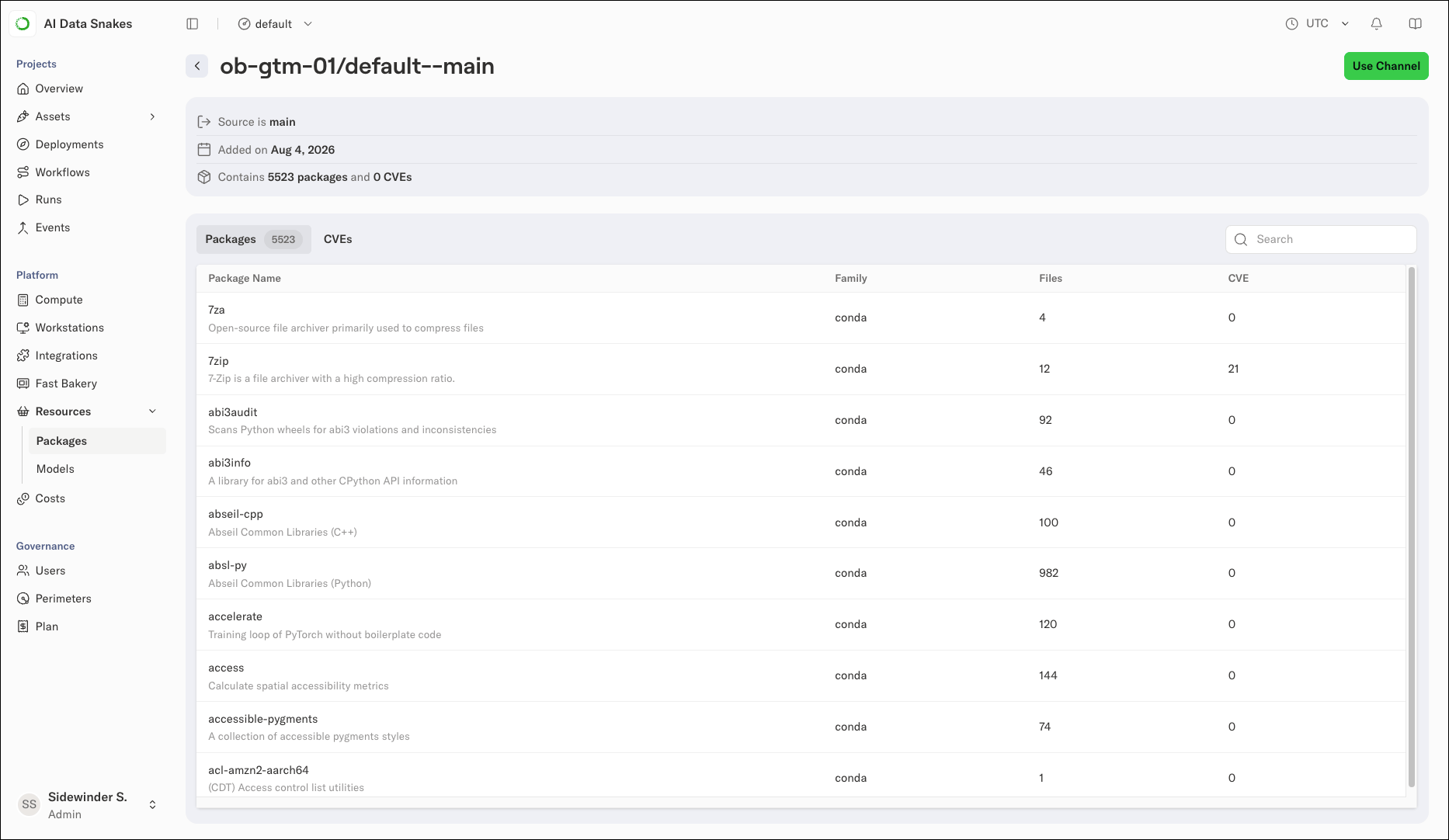
- Packages: Every package in the channel, with a description, family, file count, and CVE count for each
- CVEs: The CVEs associated with the channel’s packages
Viewing package details
Select a package to open its details in a panel beside the list. The panel shows the package’s name, channel, license, latest version, last published date, and total downloads.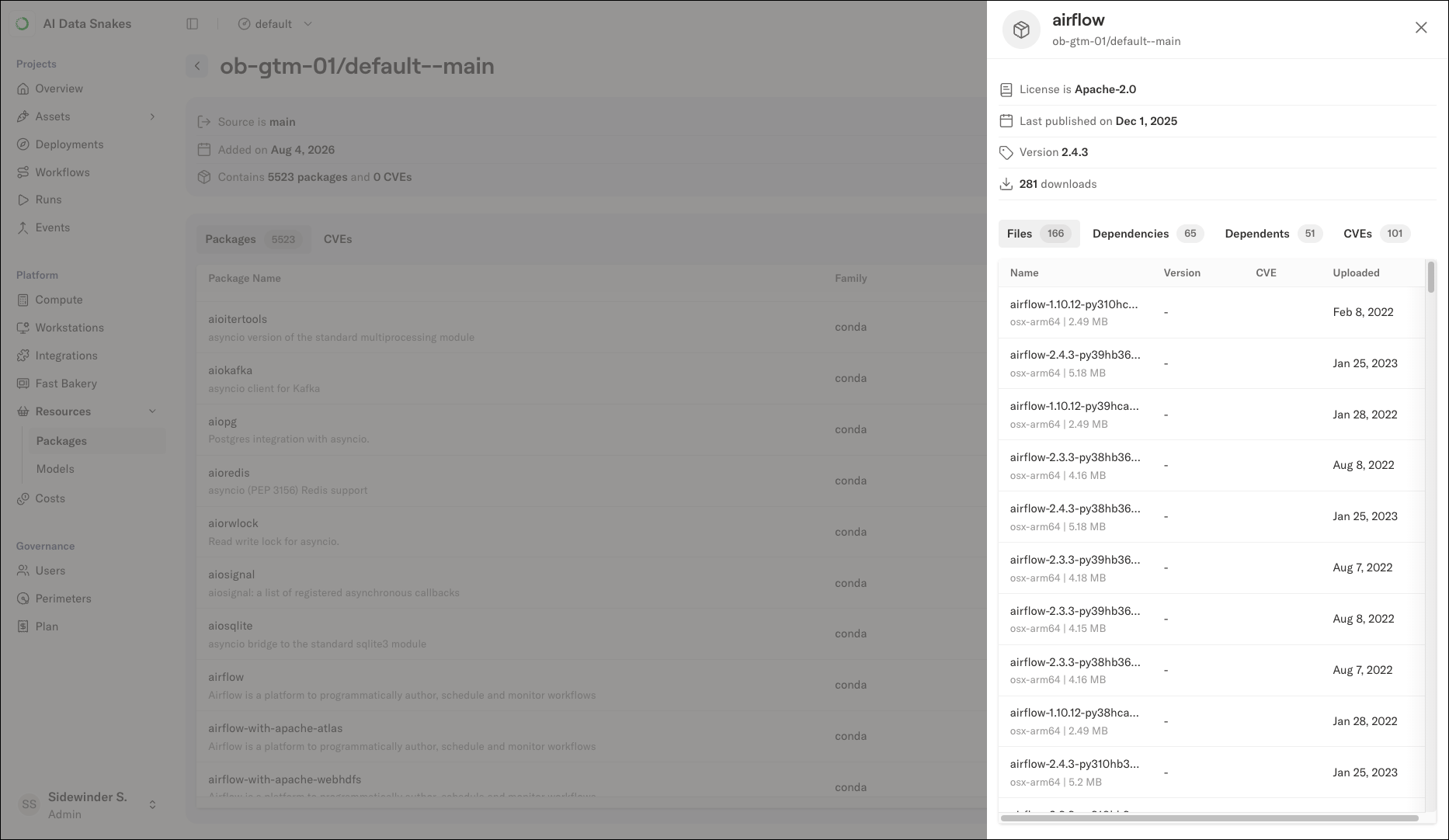
Channel policies are managed from the perimeter’s Code tab. For more information, see Channel governance.