

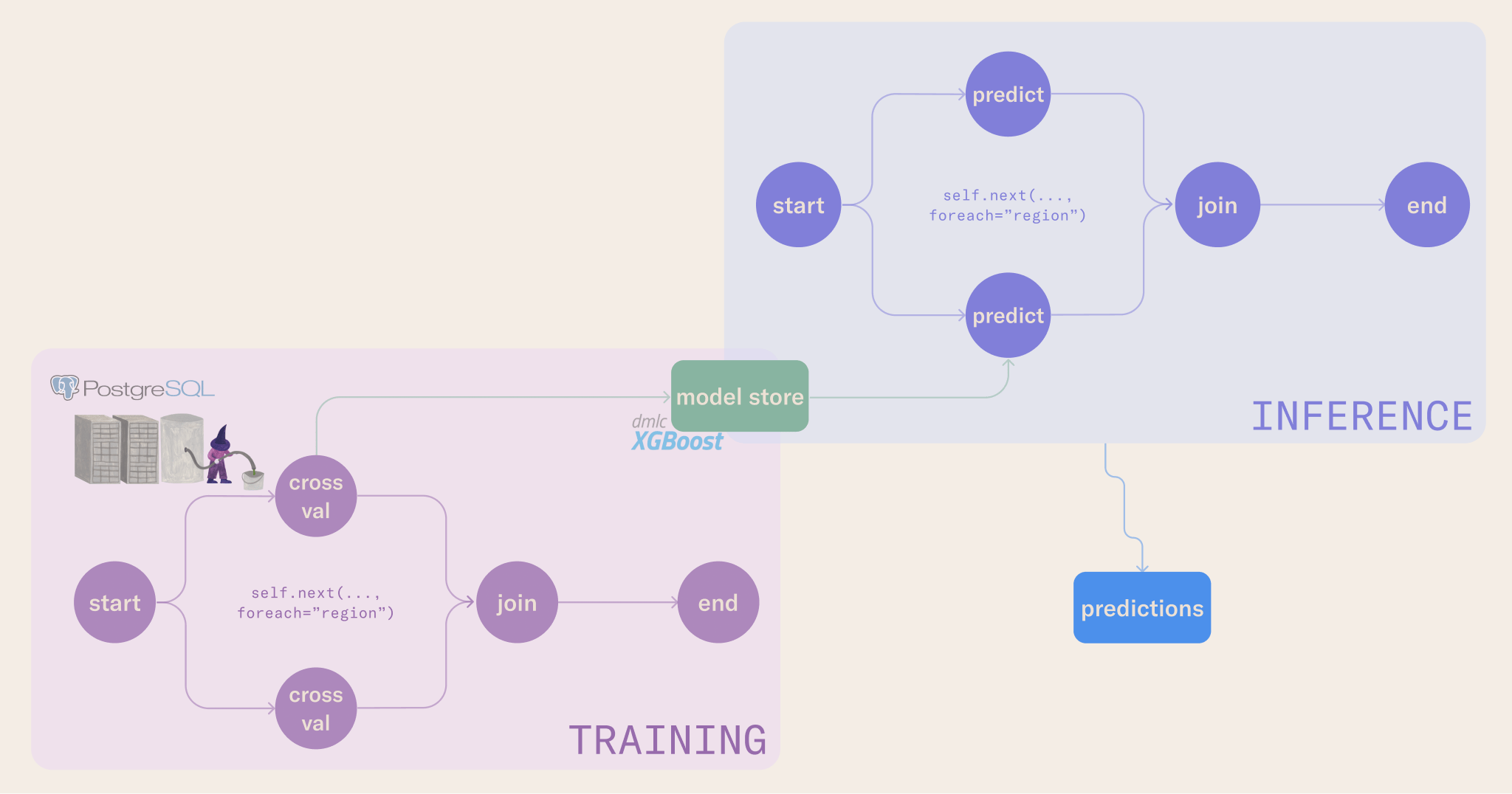
- Compute pools for running the tutorial workloads
- A baseline training notebook and workflow
- A batch inference notebook and workflow
- A sensor workflow that monitors for new data
- Deployed training and inference workflows that run automatically
Set up a compute pool
The tutorial’s workflows run on a dedicated compute pool. Create a pool namedxgboost-tutorial with at least 14 CPUs and the Metaflow Tasks usage type.
Creating a compute pool requires an administrator role. If you do not have administrator access, ask your administrator to create the pool before you begin.
Download the tutorial content
Download the tutorial content to your workstation:~/learn/ml-end-to-end. If you prefer a different location, replace ~/learn with a directory of your choice.
Run the baseline notebook
Open the notebook in00-baseline-nb from the ~/learn/ml-end-to-end directory and run it in your workstation. You can study the code cell by cell, or click Run All to execute the full notebook.
Run the baseline training workflow
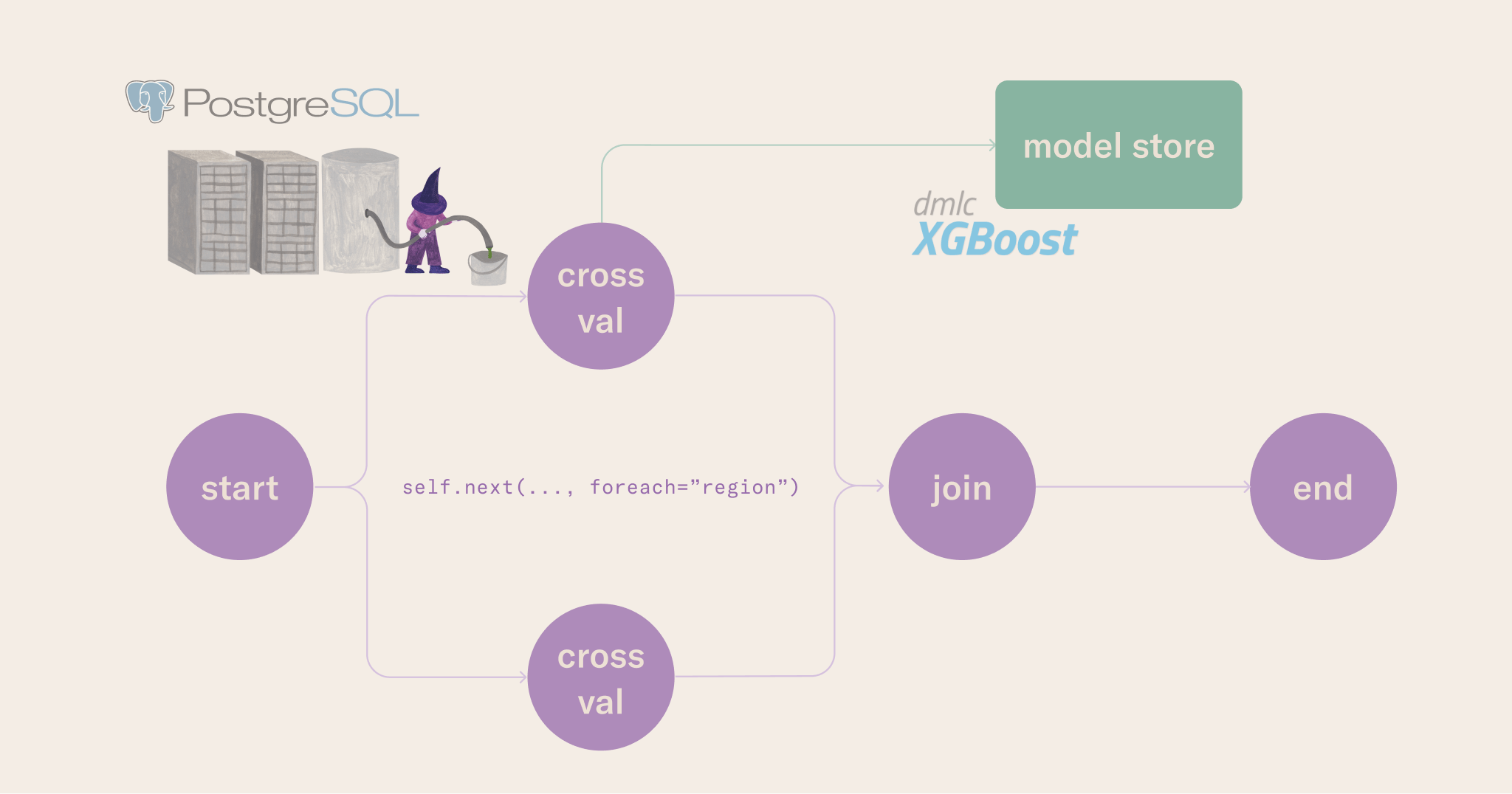
The baseline workflow in01-baseline-flow moves the notebook’s training logic into a Metaflow flow.
- The
--environment=fast-bakeryflag tells Anaconda Platform how to build the environment for each step. For details, see environments in Metaflow. - The
--with kubernetesflag tells Anaconda Platform to run the workflow on Kubernetes. For details, see scaling compute in Metaflow. - The
--smokeflag trains for one region for one cross-validation fold. Use it to reduce costs and save time during development and integration testing.
--smoke True from the command.
The CLI output includes a link to the Runs view where you can monitor the run in the Anaconda Platform UI.
Run the baseline inference notebook
Open the notebook in02-inference-nb from the ~/learn/ml-end-to-end directory and run it in your workstation. This notebook connects the baseline model to a batch inference pattern and shows how to fetch the model trained inside a workflow using the Metaflow Client API.
You can also execute the notebook from the command line:
Run the baseline inference workflow
The inference workflow in03-inference-flow fetches the model stored by the training workflow and runs batch inference for the next day in the forecast. Predictions are stored as Metaflow artifacts (versioned by the flow run ID), so downstream consumers can fetch them and trace them back to the data and model that produced them.
Deploy the sensor workflow
So far, you have run the workflows manually. The sensor workflow runs every five minutes by default, checking the database for updates and triggering the inference workflow when new data is available. You can modify the interval in the@schedule decorator.
Two commands manage production deployments:
python flow.py argo-workflows createpackages the workflow and deploys it to the production orchestrator.python flow.py argo-workflows triggermanually triggers a run on the production orchestrator.
Monitor deployed workflows
You can monitor deployed workflows in the Workflows view. Open a workflow’s detail page to see its runs, trigger it manually, or view its configuration.Deploy the baseline training workflow
Deploy the training workflow to the production orchestrator so the model retrains at a regular interval:The choice to retrain on a schedule is use case dependent. You might want to retrain based on triggers like detecting change points, model performance degradation, or other exogenous events.
Deploy the baseline inference workflow
Where the training workflow is scheduled, the inference workflow is triggered by the sensor workflow when new data is available. This pattern fits when you have a clear separation between training and inference, and you want predictions computed as soon as new data arrives:Next steps
You have built a production-ready system for time series forecasting at scale, connecting notebook-based experimentation to scheduled and event-driven batch inference pipelines.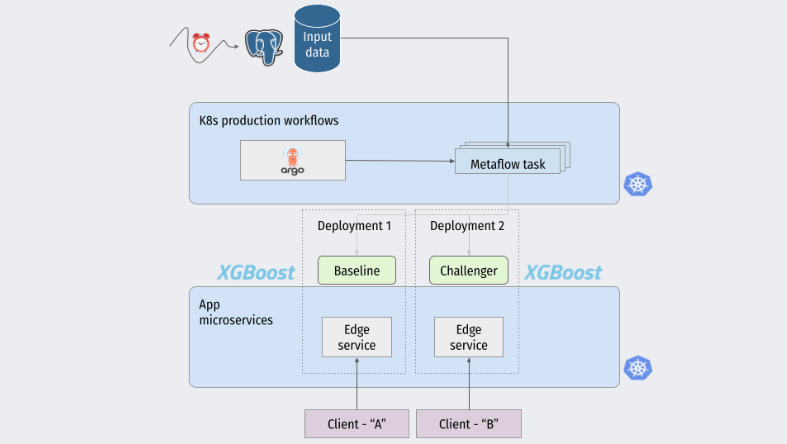
- Improve the features and modeling approach. The tutorial repository includes a starter pack with more advanced time series feature engineering methods.
- Deploy a challenger model alongside the baseline and compare their performance.
- Add alerting for prediction quality degradation.