

Anaconda Platform supports Okta SSO, so you can control who has access to the platform through your existing Okta organization. To provide finer-grained access control to different parts of the platform, contact Anaconda support.

Configuring Okta for Anaconda Platform

Admin only Configuring platform access with Okta SSO is a two-step process.
1

Create a new app integration in Okta

In your Okta console, create a new app integration using OIDC or SAML 2.0.
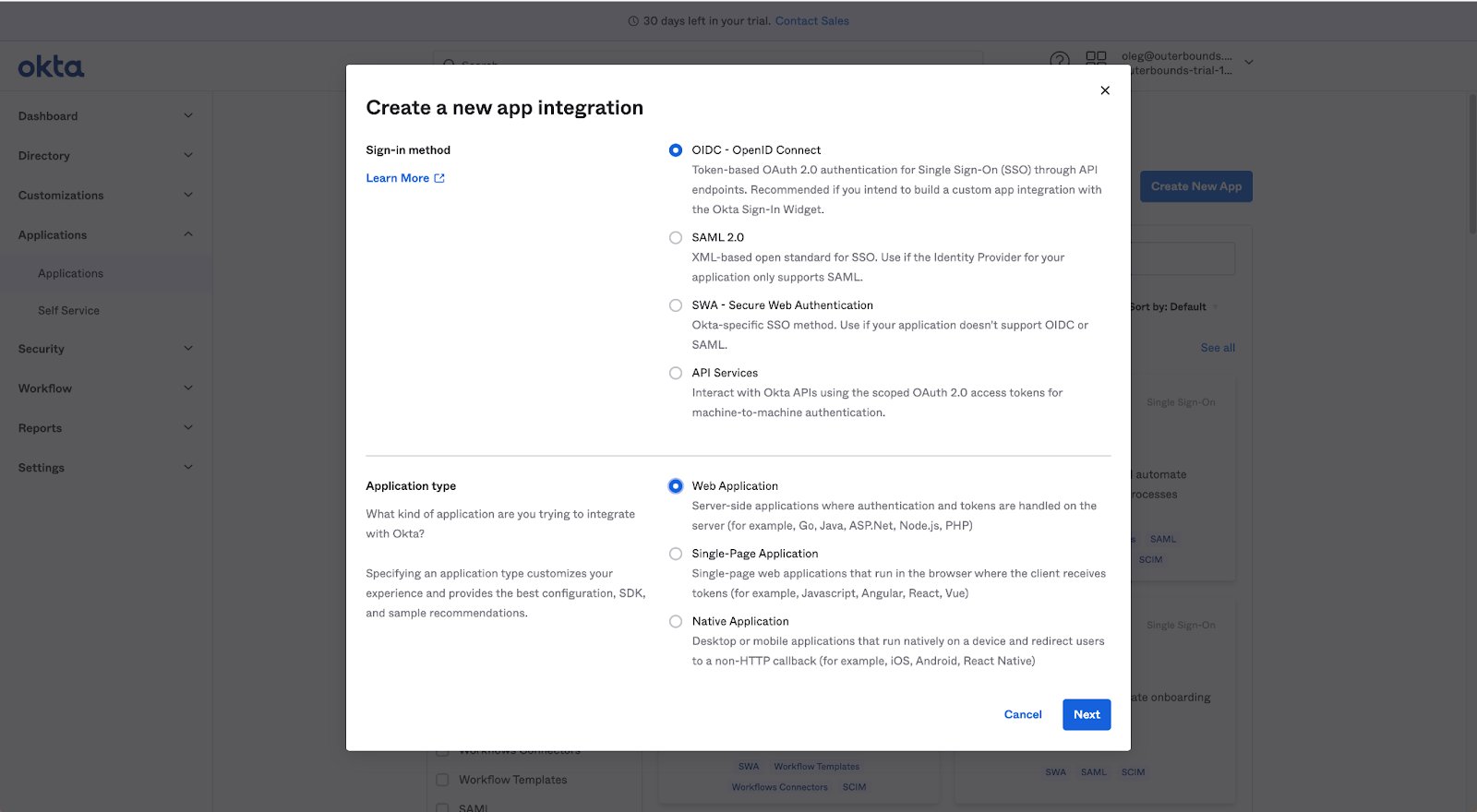
The Okta Create a new app integration dialog showing OIDC and SAML 2.0 sign-in method options
2

Share the configuration with Anaconda

Provide Anaconda with your Client ID, Client Secret, and Okta Domain.
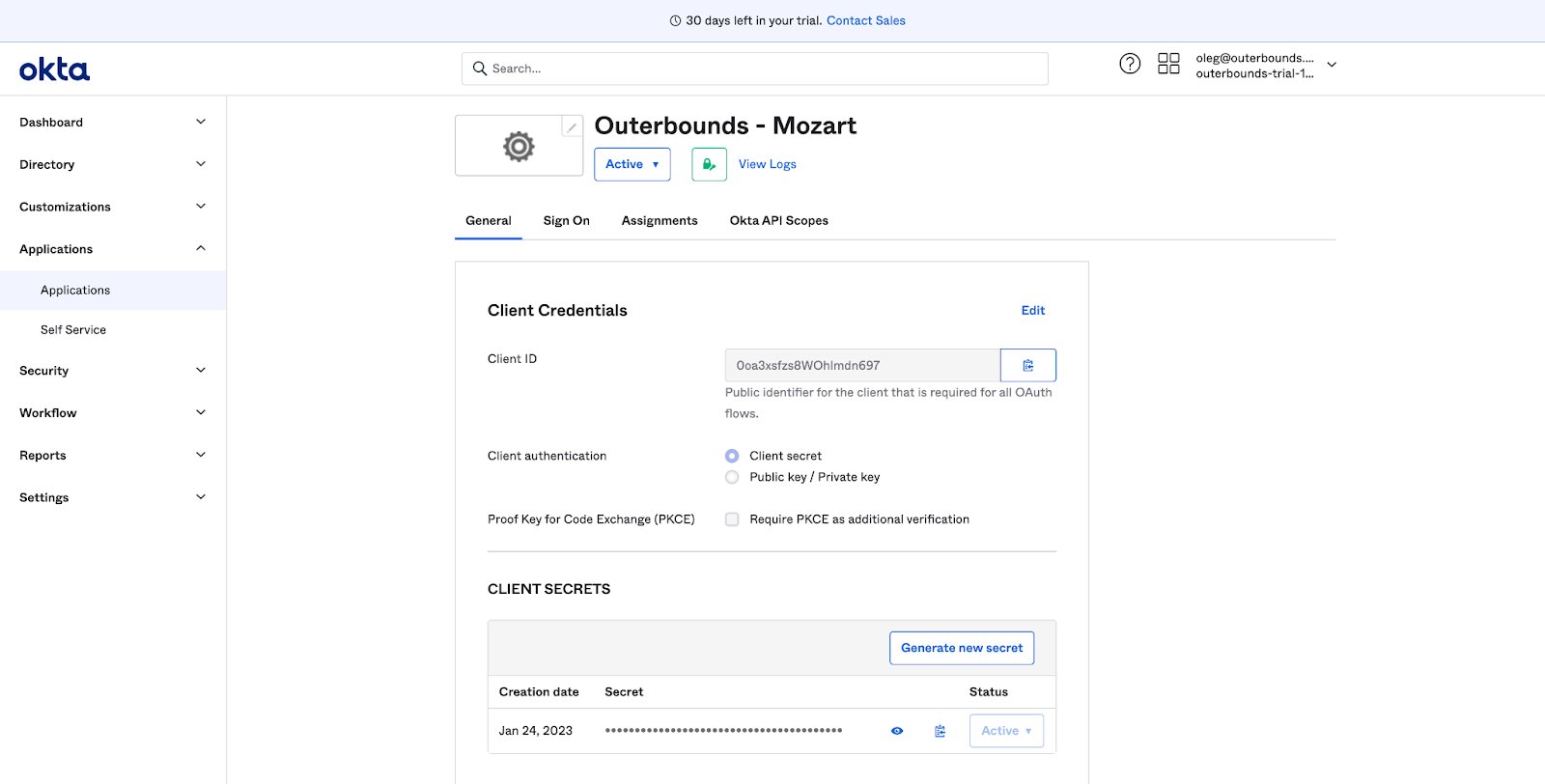
The Okta app integration page showing the Client ID, Client Secret, and Okta domain
Anaconda confirms when the integration is ready for you to test.