

This guide assumes you have read Setting up a cloud workstation, which walks through creating and connecting to a workstation.
Why use cloud workstations
Three things distinguish the platform’s cloud workstations from other hosted development environments, such as GitHub Codespaces:- Workstations run in your cloud account, so your data and processing stay within your cloud premises.
- You can use any instance type available in your cloud account, including GPU instances, as a workstation backend.
- Access to workstations, and to the resources available from them such as Metaflow configuration, is managed centrally through the platform and integrates with your SSO.
Creating a cloud workstation
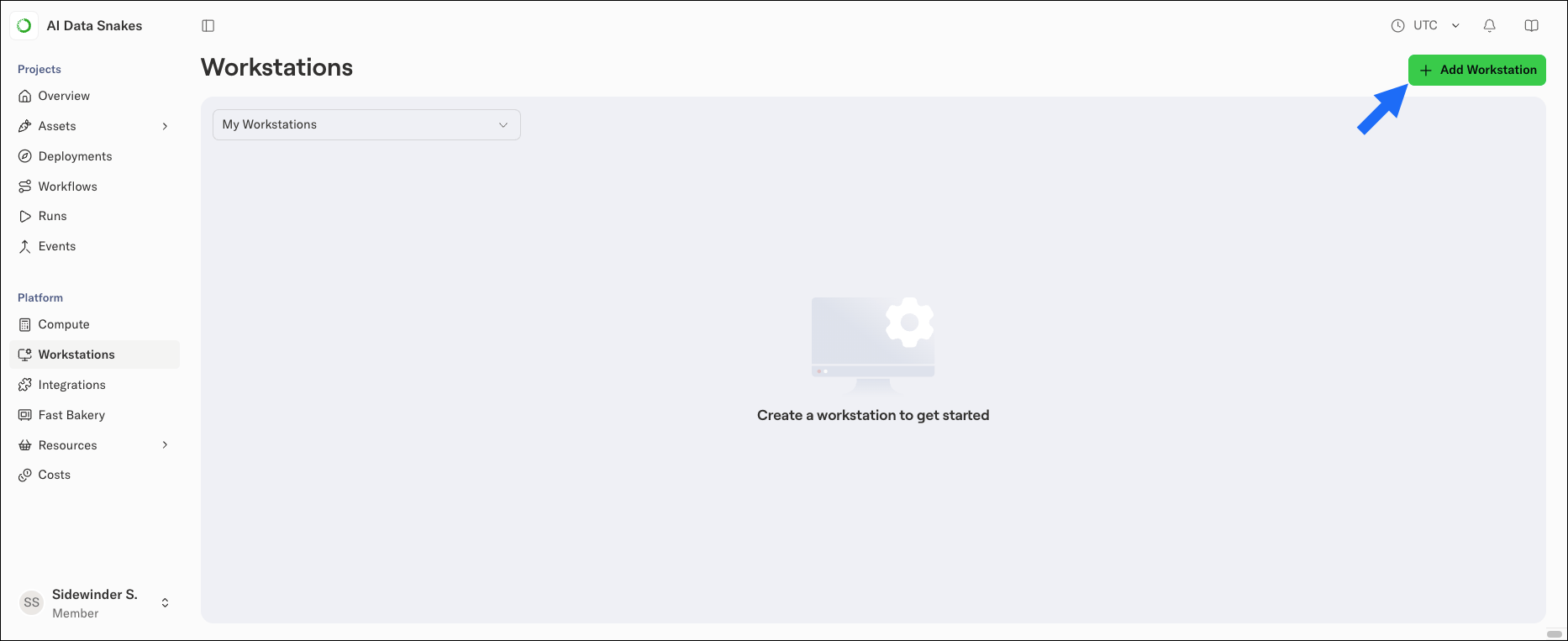
- Select Workstations in the left-hand navigation.
-
Click Add Workstation.
-
In the Create a new workstation dialog, configure the workstation’s parameters:
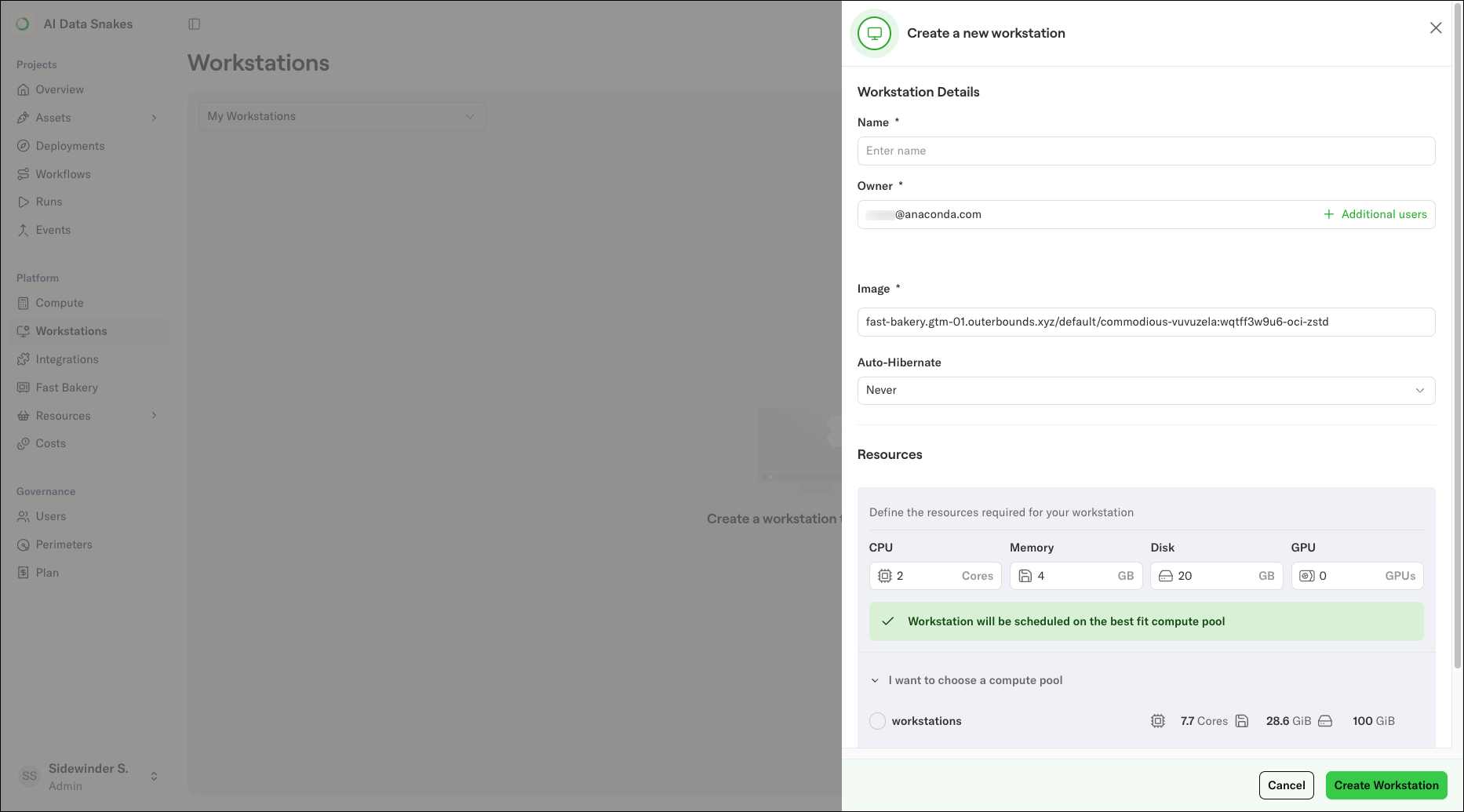
- Name: A unique name for your workstation.
-
Owner: The workstation’s owner. Prefilled with your account.
This field is not prefilled for administrators, because they can create workstations for other users.
-
Image: The container image the workstation runs in. Select a preconfigured image, which includes a default set of libraries, or supply your own. For more information about workstation images, see Managing dependencies.
The image you choose is used for more than the workstation itself. When you run flows with
--with kuberneteson the workstation, the platform uses the workstation’s image for the cloud execution by default, so the same libraries are available locally on the workstation and in the cloud. - Auto-Hibernate: Configure when the workstation hibernates automatically (after a period of inactivity, on a daily schedule, or never). Hibernated workstations persist their data, but consume no compute resources to keep costs down. Auto-hibernation makes it practical to allocate large instances, including GPU instances, for development work without paying for idle compute.
- Resources: The CPU, Memory, Disk, and GPU allocated to the workstation. If no compute pool in your cluster can satisfy the requirements you enter, the dialog warns you before it creates the workstation.
-
Shared Memory: The size of the workstation’s
/dev/shmin-memory filesystem, in megabytes. Increase this for libraries that use shared memory heavily, such as multi-worker PyTorch data loading.