Anaconda channels
Anaconda hosts several channels that connect to our premium, curated and provide you with thousands of the most popular data science platform software packages available on the open source market today.main: The default channel for Anaconda. It contains the most popular packages from the Anaconda repository.main-xBeta: A new authenticated Anaconda channel containing ~6,000 new conda packages built by Anaconda. It is meant to be used alongsidemain.rDeprecated: Provides packages built for the R programming language.msys2: Provides packages built for Windows.
Adding a channel to your .condarc file
In order to access packages from your organization’s channels, you must configure your .condarc file to tell conda where the channel is located.
Complete the following steps to add one of your organizations’ channels to your .condarc file:
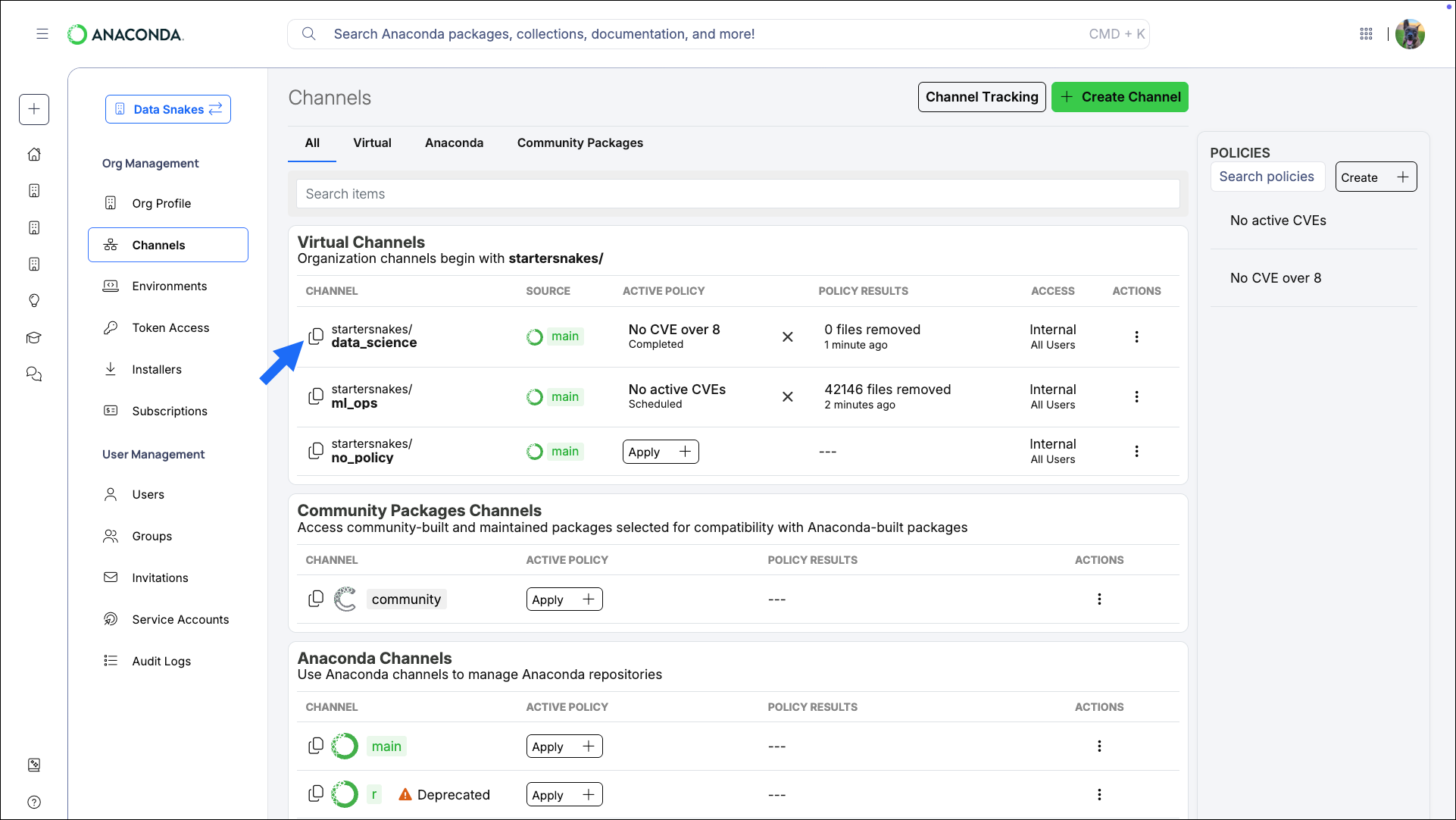
- Select Channels from the left-hand navigation.
-
Click Copy channel path.
-
Open Anaconda Prompt (Terminal on macOS/Linux) and run the following command:
This adds the specified channel to the top of your
channels:list, giving it top priority when conda is searching for packages. For more information about channel priority and additional conda config command arguments, see Channels.Example .condarc fileIf you want to use your organizations’ channels exclusively, make sure that they are the only channels present in your.condarc’schannels:list.
Removing a channel from your .condarc file
To remove a channel from your channels: list, open Anaconda Prompt (Terminal on macOS/Linux) and run the following command:
This will leave the channels listed under
You can add the default channels to your
default_channels: in the .condarc file for later use, if needed, but won’t look for packages in those locations.You can add the default channels to your
.condarc file’s channels: list at any time by running the command: conda config --append channels defaultsViewing channel details
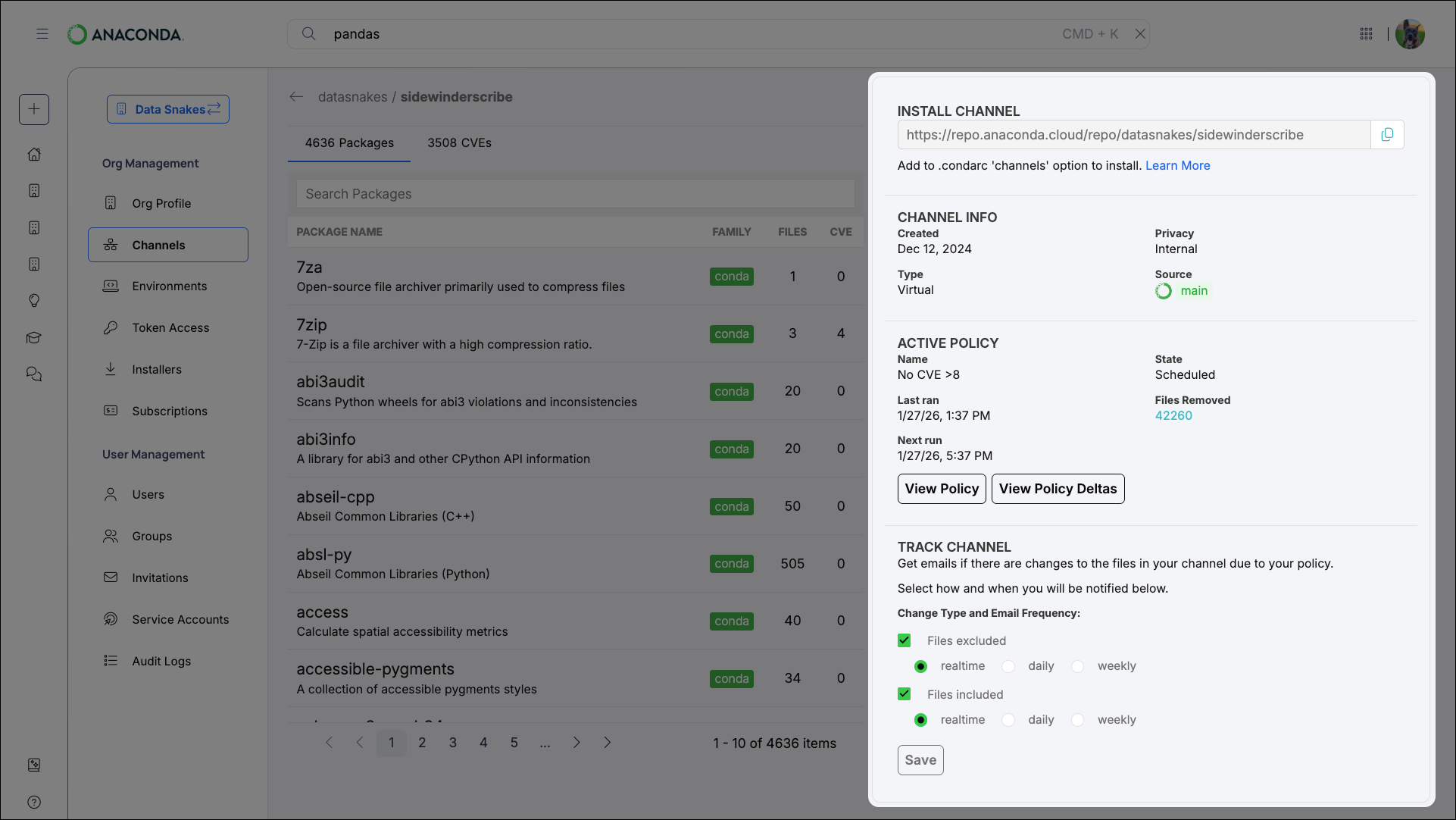
From the Channels page, select any channel to view its details. You can also explore the channel’s packages from this page. The channel details page provides the following information about the channel:- The channel’s address (the URL you add to your
.condarcfile to access the channel’s packages) - General information about the channel
- Information about the policy that is applied to the channel