

Downloading package files
To download a package file, click Download in the Actions column. This downloads the archive file (.tar.bz2, .conda, .whl) for the package.
Locating a package file
You can search for a specific package file by entering information such as its name, architecture, build, or version number in the Search files box. Click the info icon beside a file name to view detailed metadata for the selected package file.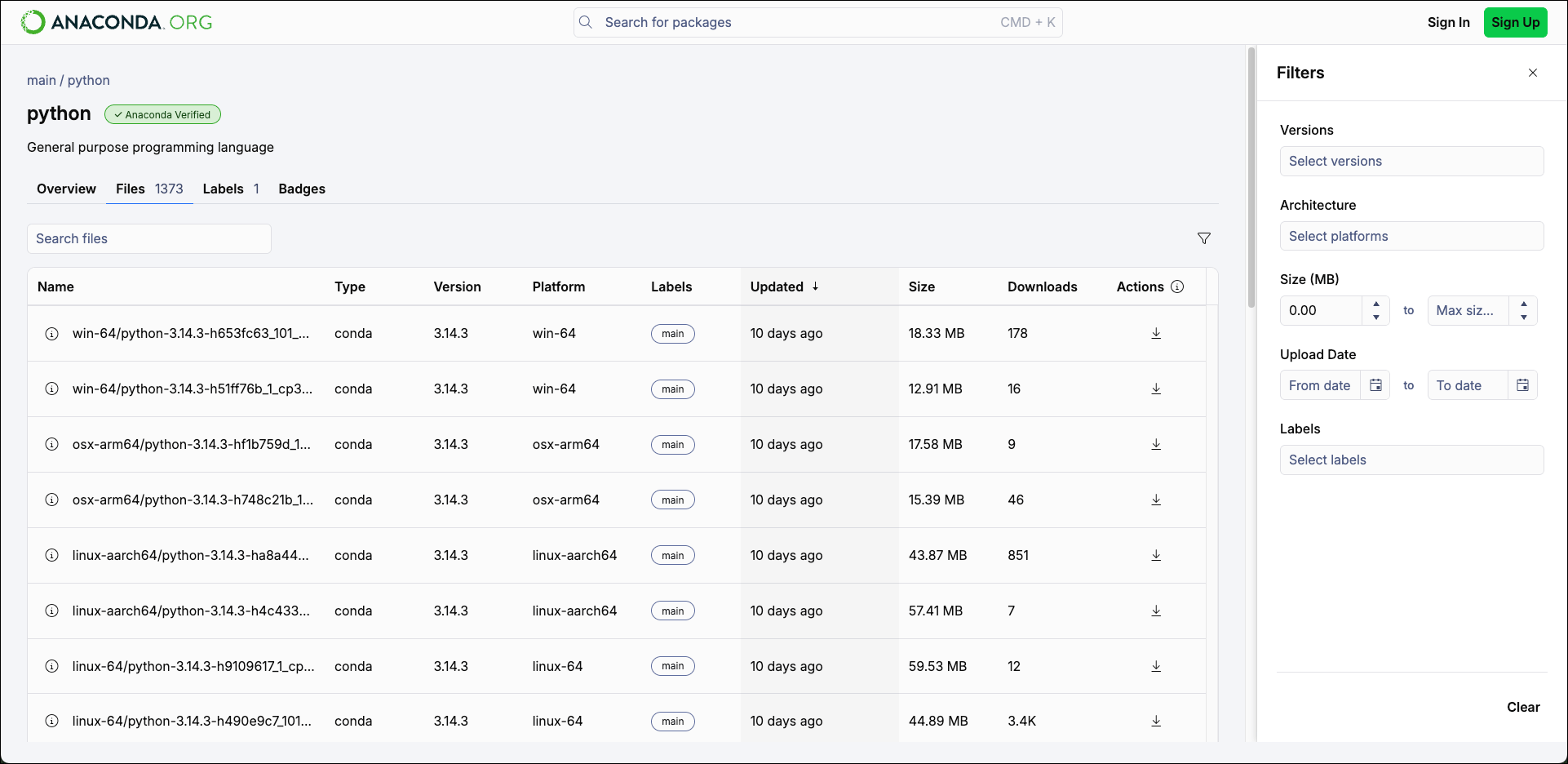
- Versions
- The available versions for the package.
- Architecture
- The available operating system architectures for the package.
- Size (MB)
- The size of the package archive file. Adjust the Min size and Max size values to narrow your selection.
- Upload Date
- The date when the package file was last updated. Enter dates manually or use the calendar tool to create a date range.
- Labels
- The labels associated with the packages.