Anaconda Platform
7.0.0 is available through a limited early access program. Contact your Anaconda Technical Account Manager (TAM) if you’re interested in adopting the latest version.Visibility and management of policy features depend on your assigned role. Only users with Write or Manage permissions for the Policy Engine can create and manage policies.
Creating a policy
- Select Policies from the left-hand navigation.
- Click Create Policy.
-
Complete the Create Policy form.
Set Details
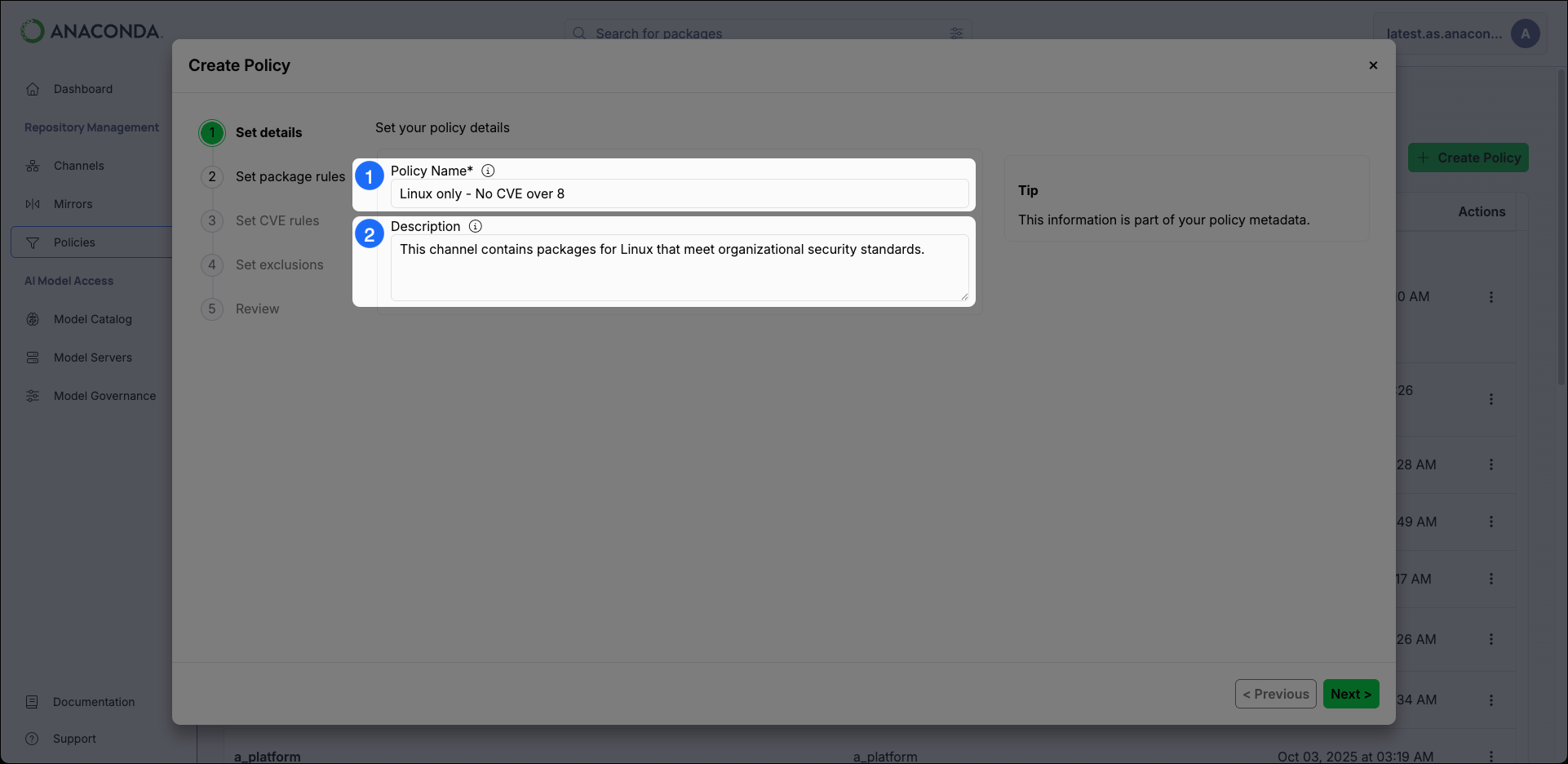
- Policy Name Provide a unique name for your policy.
- Description Enter a brief description of what effect the policy will have on a channel or mirror.
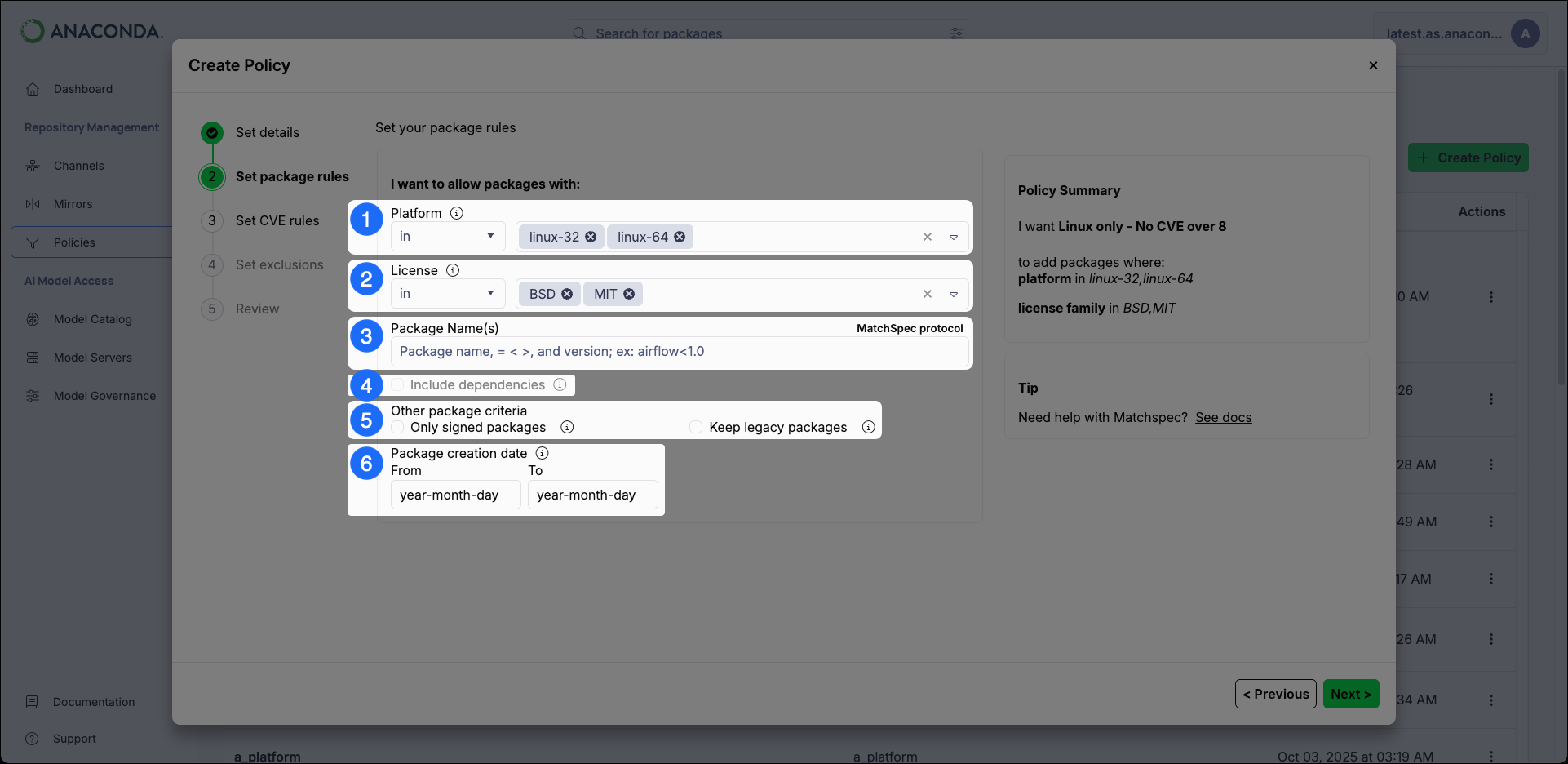
Set Package Rules
-
Platform
Restrict packages based on their platform architecture.
- The
inoperator only mirrors packages that match the specified platform architectures. In other words, using theinoperator means “I want to mirror packages for the following platform architectures”. - The
not inoperator excludes packages that match the specified platform architectures. In other words, using thenot inoperator means “I want to mirror packages for all platform architectures except the following”.
Anaconda Platform automatically includes any package dependencies in your channel when you apply a policy that restricts packages by platform architecture. - The
-
License
Restrict packages based on their license type. Multiple license types can be specified for the policy.
- The
inoperator only mirrors packages that match the specified license. In other words, using theinoperator means “I want to mirror packages for the following license types”. - The
not inoperator excludes packages that match the specified license. In other words, using thenot inoperator means “I want to mirror packages for all license types except the following”.
- The
- Package Name(s) If you know the specific packages you want your channel or mirror to contain, enter their names here.
-
Include Dependencies
Select this checkbox to include dependencies for the packages specified in the Package Name(s) field.
This option must be selected to enable a dependency report download for mirrors this policy is applied to. For more information, see Download Dependency Report under Mirror actions.
-
Other Package Criteria
- Only Signed Packages Select this checkbox to only mirror packages that have Anaconda signatures from the source mirror.
-
Legacy Packages
Select this checkbox to include
.tar.bz2package files along with.condafiles for packages. This effectively doubles your required storage space.When this checkbox is left unselected,.tar.bz2files are still included if they are the only ones available in the source.
- Date Range Instruct the policy to only include packages that were created within the range selected.
Set CVE Rules
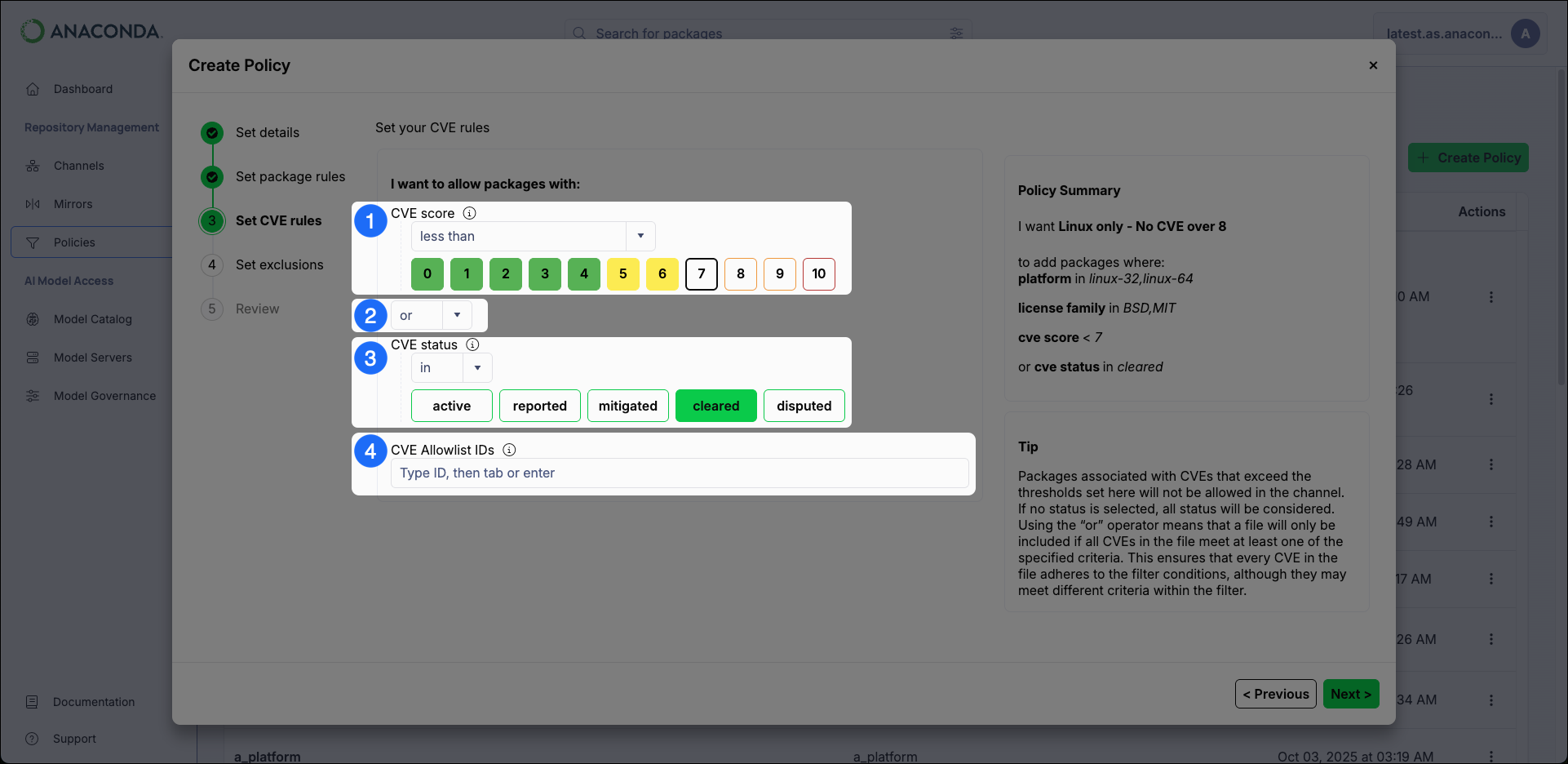
- CVE Score Restrict packages based on their associated CVE Scores.
-
The
and|oroperators- The
andoperator includes package files that meet all the specified criteria. - The
oroperator includes package files that meet at least one of the specified criteria.
Theandoperator is more restrictive than theoroperator. - The
-
CVE Status
Restrict packages based on their associated CVE Status.
Package files that have a CVE status of
mitigatedorclearedare no longer considered to be vulnerable, even if they have a high CVE score. -
CVE Allowlist IDs
CVEs listed here are not considered for package file filtering criteria.
CVE names follow the format CVE-YYYY-##### (Example: CVE-2025-12345).
Set Exclusions
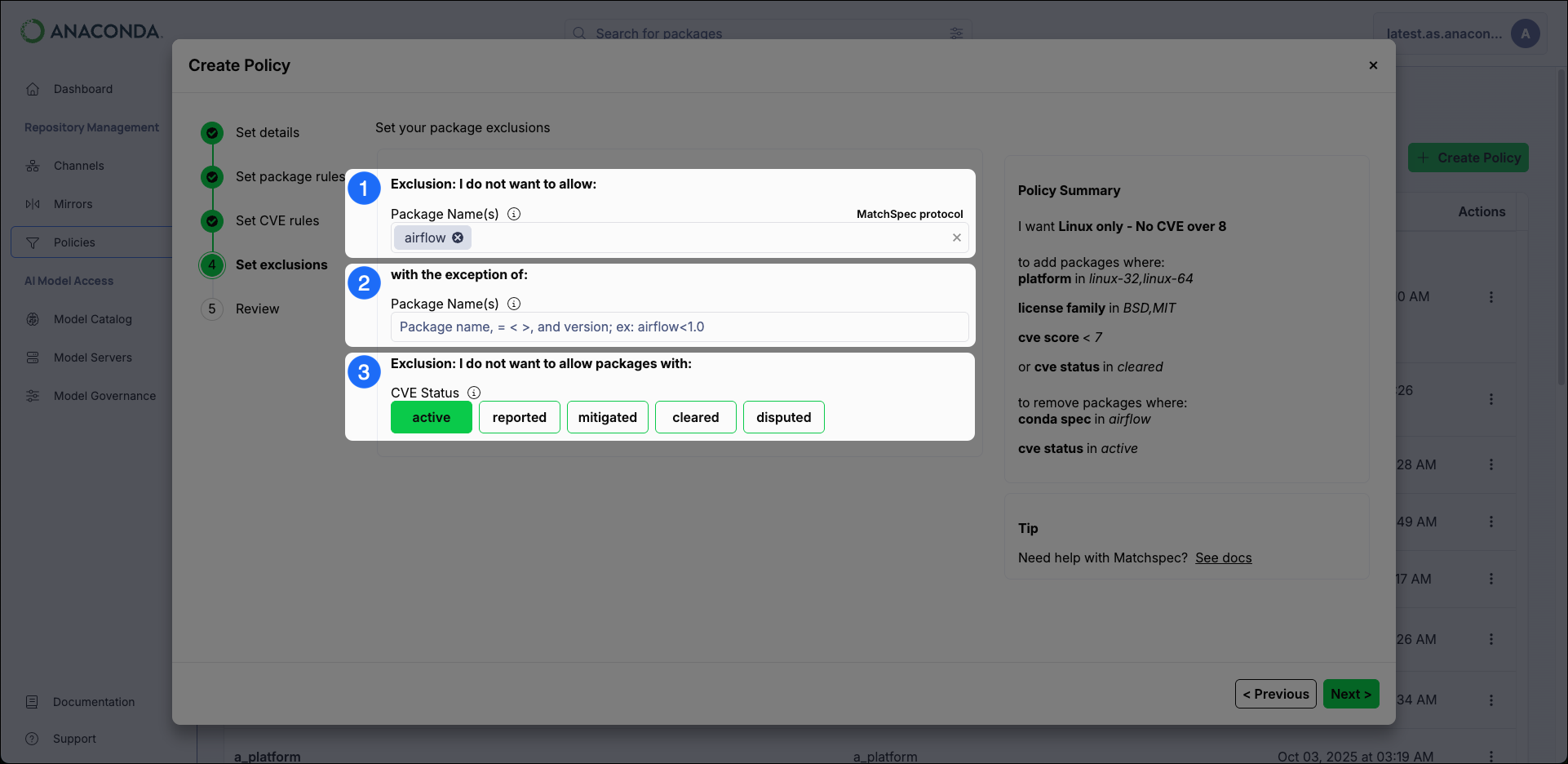
- Exclude Packages Enter the name of any packages you want to exclude. To list multiple packages, press the Tab key after entering each package name.
-
Exclusion Exceptions
Include specific packages that would otherwise be removed by the exclude packages filter by listing them here.
Package exclusions and exclusion exceptions can be specified using non-exact values by including wildcard
*and>/<ranges (where supported). For more information, see Package Match Specifications in the official conda documentation. - CVE Status Choose to restrict packages by their CVE Status.
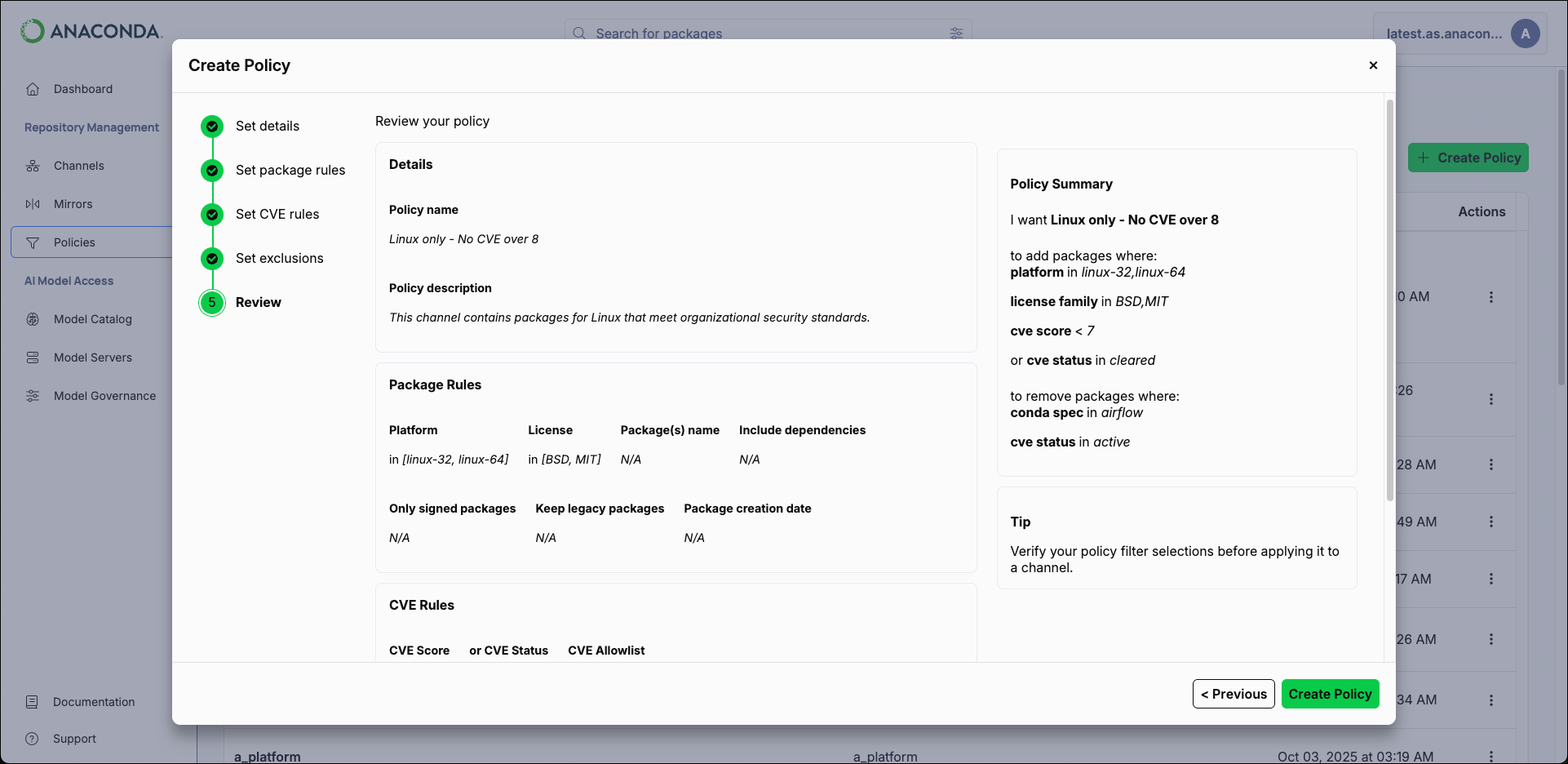
- Click Create Policy.
Applying a policy
Policies can be applied to channels at the time of creation or by editing the channel and selecting a policy from the Assign Policy dropdown at a later time. For more information, see Create channel form.Managing policies
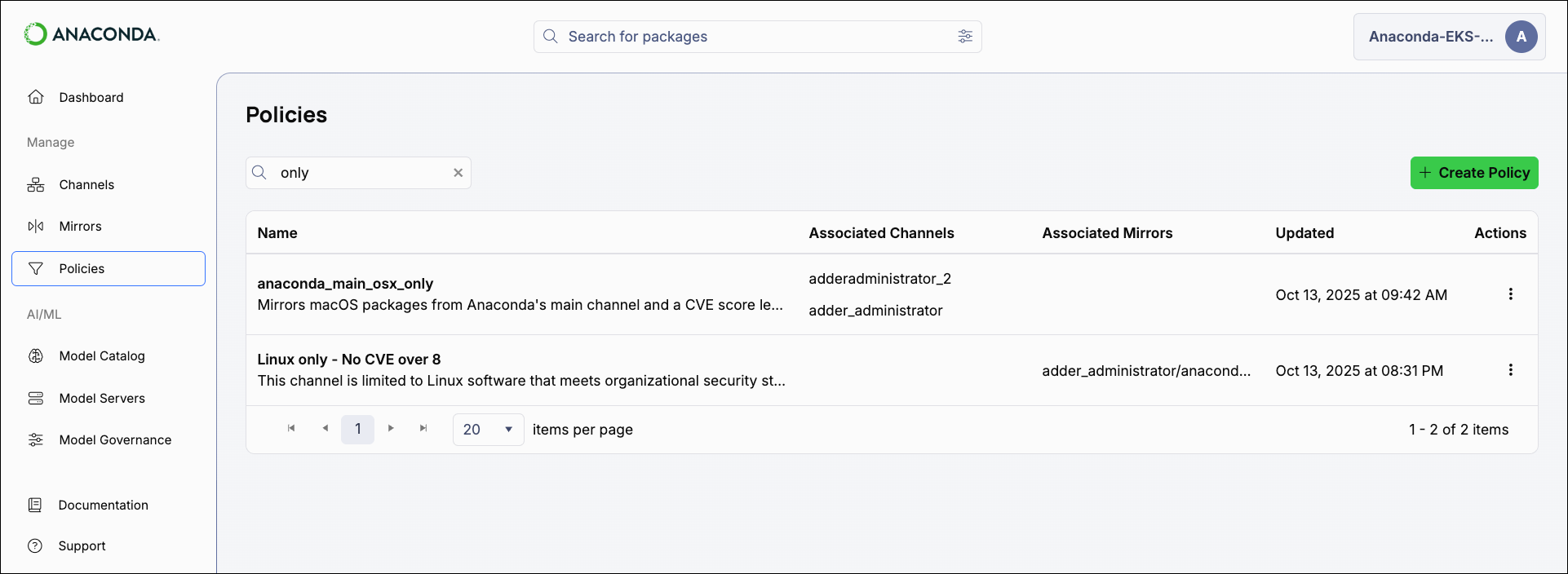
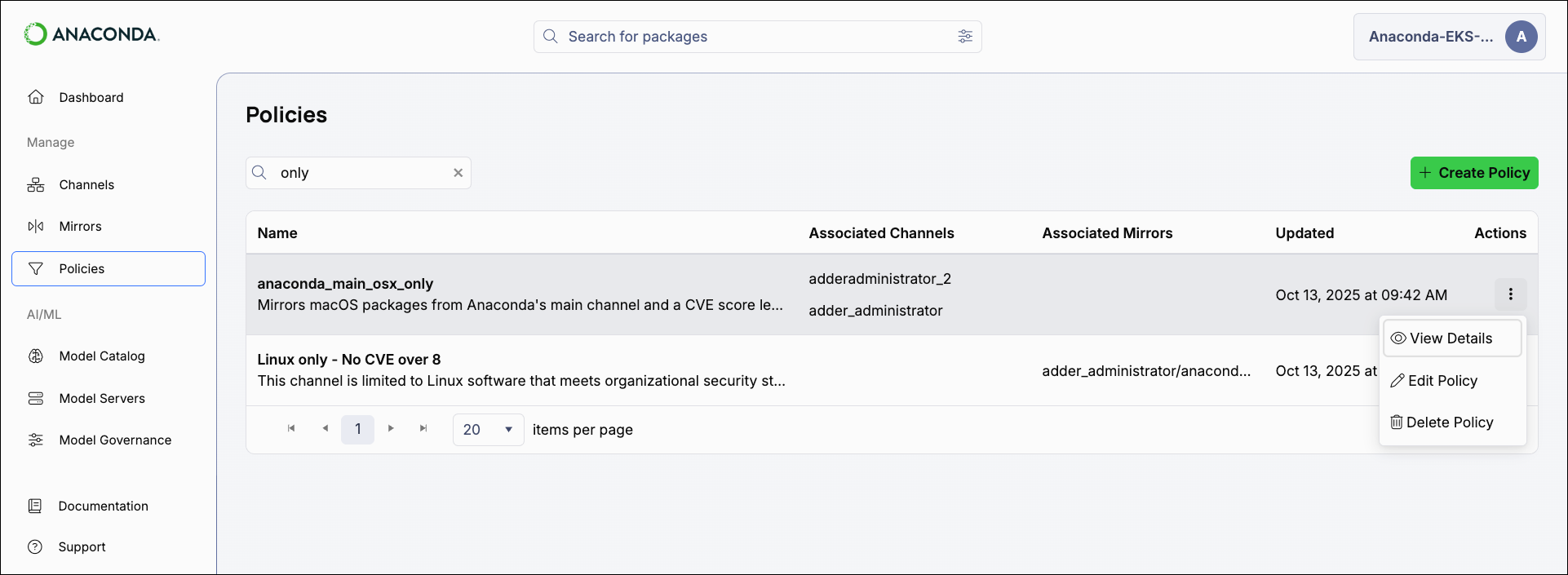
Select Policies from the left-hand navigation to view all policies and see which channels and mirrors they are associated with.