

Anaconda Platform
7.0.0 is available through a limited early access program. Contact your Anaconda Technical Account Manager (TAM) if you’re interested in adopting the latest version.- Log in to the Keycloak administrative console.
- Verify you are in the dev realm.
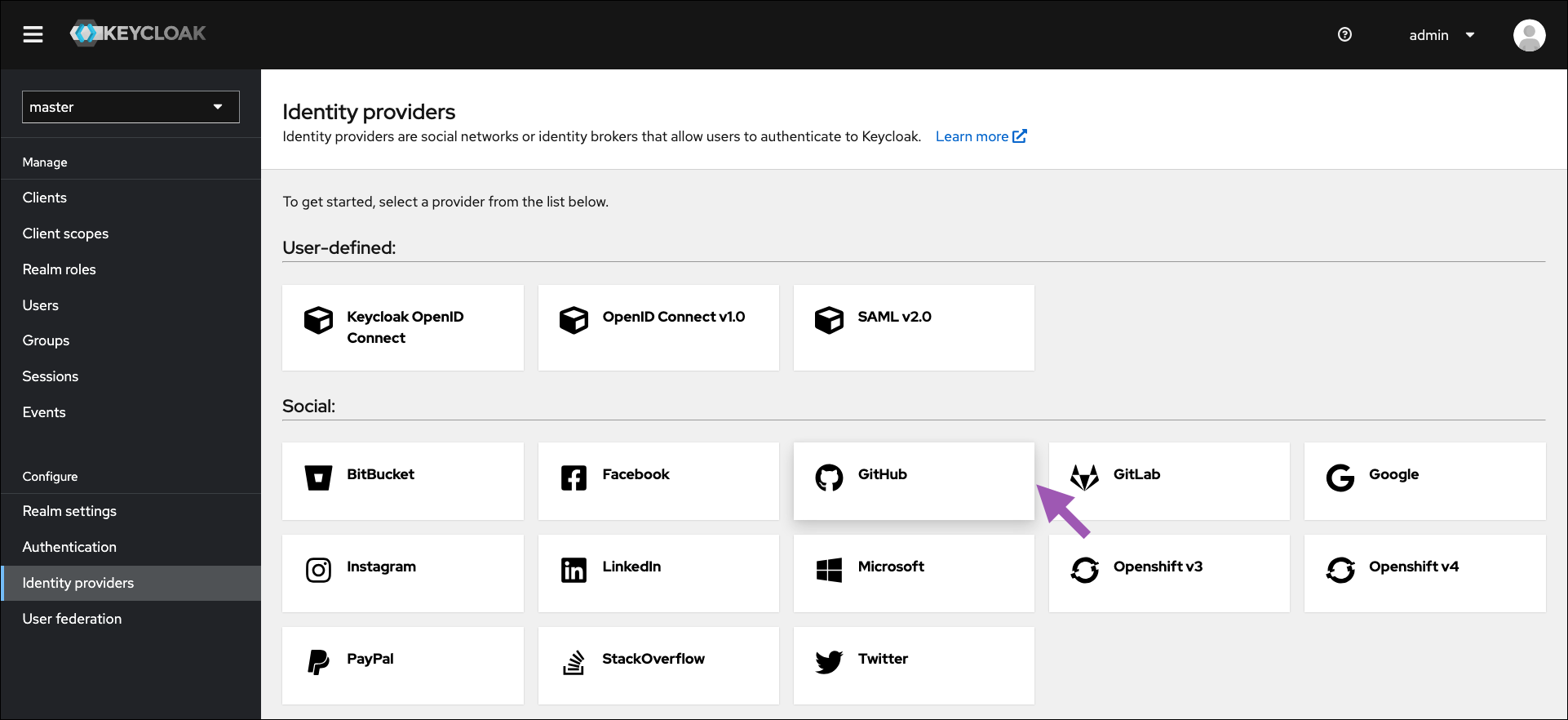
- Select Identity providers from the left-hand navigation.
-
Click GitHub.
-
Enter the ClientID/Secret from your GitHub OAuth application settings.
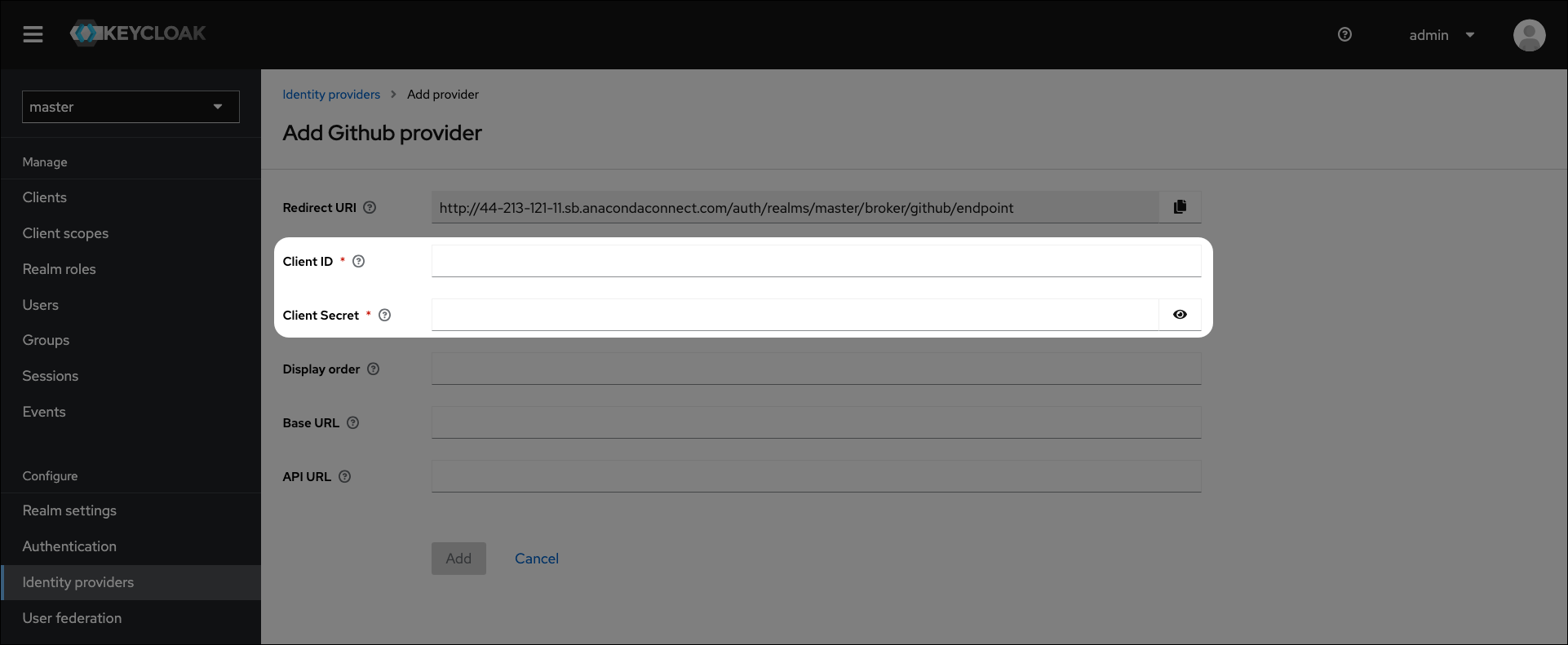
- Click Add.
- Verify the GitHub link appears on the login page.